

Game creation is no longer limited to experienced programmers or professional studios. Visual development platforms and artificial intelligence have made it possible for designers, writers, artists, students, and first-time creators to turn ideas into playable experiences.
However, easier access creates a new question: which type of tool should you choose?
One approach gives you visual systems, drag-and-drop logic, templates, and direct control over how the project works. The other allows you to describe an idea in ordinary language and uses artificial intelligence to generate mechanics, scenes, code, assets, or an early playable version.
Both approaches can shorten development time, but they solve different problems.
The right choice depends on how much control you want, how quickly you need a prototype, what you want to learn, and how complex the finished project may become. This guide compares both options so you can choose a development method that supports your actual goals rather than following whichever technology currently receives the most attention.
What Is a Visual No-Code Creation Platform?
A visual no-code platform allows creators to develop interactive experiences without writing traditional programming code.
Instead of manually scripting every behavior, you may work with:
- Drag-and-drop objects
- Event sheets
- Visual logic blocks
- Ready-made behaviors
- Scene editors
- Templates
- Built-in physics
- Interface components
- Publishing controls
The creator still makes important design decisions. You decide what the player can do, how objects react, when a level ends, what causes failure, and how progression works.
The platform simply represents those decisions visually.
For example, instead of writing code that checks whether a player touched an obstacle, you might create a visual rule:
When the player touches the obstacle, reduce health and restart from the checkpoint.
This approach is useful for people who want hands-on control but do not want programming to become the first major barrier.
What Is an AI-Assisted Creation Platform?
An AI-assisted platform allows creators to describe what they want using natural language.
A prompt might explain:
- The genre
- The player’s goal
- The controls
- The visual style
- The main mechanic
- The scoring system
- The difficulty
- The intended device
The system may then generate a basic project, suggest mechanics, write scripts, create placeholder assets, or assemble a playable prototype.
This can dramatically reduce setup time.
However, generated output should not be confused with a finished product. Artificial intelligence can produce an initial structure, but the creator must still evaluate whether the controls feel natural, the challenge is fair, the instructions are clear, and the main loop is enjoyable.
AI reduces production effort. It does not remove the need for design judgment.
The Main Difference: Construction vs Generation
The simplest way to understand the difference is this:
A visual platform helps you construct the experience yourself through accessible tools.
An AI-assisted platform generates part of the experience from your instructions.
With visual development, you usually decide how each system works and connect the logic manually. With AI-assisted development, you begin by explaining the desired outcome and then revise what the system produces.
This creates different workflows.
Visual Workflow
- Choose or create a template.
- Add objects and environments.
- Assign behaviors.
- Connect events and conditions.
- Test the result.
- Adjust the logic.
- Publish the project.
AI-Assisted Workflow
- Describe the idea.
- Review the generated result.
- Correct misunderstood instructions.
- Refine mechanics and presentation.
- Test the experience.
- Regenerate or manually edit weak areas.
- Publish the improved version.
Neither workflow is automatically easier in every situation.
Visual development requires more manual setup but often gives clearer control. AI-assisted development can begin faster but may require repeated corrections when the generated result does not match the creator’s intention.
Which One Is Easier for Complete Beginners?
For someone with no technical experience, AI-assisted creation may feel easier during the first few minutes.
Writing a description is more familiar than learning scenes, variables, events, collisions, and object relationships. A beginner may see a playable result quickly and feel encouraged to continue.
However, visual platforms can become easier after the initial learning period because their logic is more predictable.
You can see which event controls a specific action and change it directly. With AI-generated systems, a beginner may struggle when the result behaves incorrectly and the cause is hidden inside generated logic.
The easiest option therefore depends on the type of beginner you are.
Choose visual development when you prefer:
- Learning through direct manipulation
- Understanding how systems connect
- Adjusting details manually
- Following structured tutorials
- Building skills gradually
Choose AI-assisted development when you prefer:
- Describing ideas in ordinary language
- Seeing results quickly
- Experimenting with multiple concepts
- Starting from generated structures
- Refining rather than assembling
The tool that feels easiest on the first day may not remain the easiest as the project becomes more complex.
Speed: Which Option Produces a Prototype Faster?
Artificial intelligence usually has the advantage during the earliest prototype stage.
A written description can generate a basic environment, central interaction, or project structure much faster than assembling every component manually.
This is valuable when you need to answer an early question such as:
- Is the concept understandable?
- Does the central mechanic seem interesting?
- Is the project worth developing further?
- Which version of the idea has the strongest potential?
Visual development may take longer initially, but it can become faster during revision.
When you know exactly where a mechanic is defined, changing it may require only a few clicks. In an AI-generated project, one new prompt may accidentally alter systems that were already working.
Speed should therefore be measured across the entire development cycle, not only the first generated version.
A prototype produced in ten minutes is not truly faster if it requires several days of corrections before players can understand it.
Control and Predictability
Visual development usually provides more predictable control.
The creator can inspect the logic and decide exactly when an action should happen. If the character jumps too high, the movement value can be adjusted. If a reward appears too early, the relevant condition can be changed.
AI-generated output may be less predictable.
A prompt such as “make the level more difficult” could produce several changes at once. It might increase obstacle frequency, reduce player speed, change enemy behavior, or adjust the time limit.
That may be helpful when brainstorming, but it can become frustrating when you need a precise adjustment.
Creators who care deeply about exact timing, balance, level flow, or unusual mechanics may prefer the transparency of visual systems.
Creators who value exploration and rapid variation may enjoy the flexibility of generated output.
Creativity and Originality
Neither tool automatically makes a project creative.
A visual platform can produce generic results when the creator relies entirely on templates. An AI-assisted platform can also produce familiar mechanics because it generates patterns based on existing examples.
Originality comes from the decisions made after the starting point.
Ask:
- What does the player do that feels different?
- What meaningful decision must the player make?
- What emotional response should the experience create?
- What happens that players will remember?
- How does the project change or combine familiar ideas?
Templates and generated systems should be treated as raw material.
A creator who accepts the first available result will usually produce something less distinctive than one who tests, removes, combines, and improves ideas deliberately.
Applying the Choice to the Provided Game
Rail in Air is a rail- or track-based running or riding game set in the sky, where players avoid obstacles and remain on the track. An AI-assisted platform could generate an early version quickly from a description of movement, obstacles, and the elevated setting, while a visual no-code platform would provide more direct control over track layout, collision rules, player speed, obstacle timing, checkpoints, and difficulty progression.
Learning Value: What Skills Will You Develop?
Your choice should reflect not only what you want to produce, but also what you want to learn.
Visual development teaches:
- Event logic
- Variables
- Conditions
- State changes
- Level structure
- User-interface flow
- Cause-and-effect relationships
- Basic debugging
These skills can later make programming easier because you already understand how interactive systems are structured.
AI-assisted development teaches a different set of skills:
- Writing precise instructions
- Breaking ideas into systems
- Evaluating generated output
- Identifying inconsistencies
- Iterating through prompts
- Directing creative tools
- Testing multiple variations
These skills are valuable, but creators should avoid becoming dependent on generation without understanding the result.
When something breaks, you need enough knowledge to identify whether the problem comes from the rules, assets, controls, level design, or generated implementation.
Can You Make Complex Games With Either Approach?
Both approaches can support more than simple prototypes, but their limits differ.
Visual platforms may struggle when the project requires:
- Large online multiplayer systems
- Advanced artificial intelligence
- Highly customized physics
- Detailed procedural generation
- Complex external databases
- Specialized graphics technology
- Large open environments
Some visual tools allow extensions or custom scripting, which increases their capabilities. However, adding code may reduce the simplicity that originally attracted the creator.
AI-assisted platforms can help produce complex systems, but complexity increases the risk of inconsistency.
Generated mechanics may work individually while creating problems when combined. A movement system, inventory, economy, and progression structure may each function, but interactions between them can produce unexpected behavior.
Complex projects still require planning, testing, organization, and technical understanding, regardless of how much content is generated.
Editing and Debugging
Debugging is where the difference between the two approaches becomes especially important.
In a visual system, you can often trace the project’s logic directly.
You might inspect:
- Which event was triggered
- Which variable changed
- Which condition failed
- Which object caused a collision
- Which scene loaded
- Which action happened in the wrong order
This makes troubleshooting easier for creators who understand the visual structure.
In an AI-generated project, debugging may begin with another instruction:
The restart button does not reset the score. Fix it without changing the level.
Sometimes the correction works immediately. Sometimes it creates another issue or modifies a related system unexpectedly.
Reliable debugging requires precise instructions and repeated testing.
Do not assume generated output is correct because the project opens successfully. Test every important player action, including unusual actions the system may not expect.
Cost and Platform Restrictions
Pricing models differ widely.
A platform may charge for:
- Monthly access
- Project exports
- Commercial publishing
- Cloud storage
- Advanced AI usage
- Additional generations
- Premium templates
- Multiplayer services
- Asset libraries
- Team collaboration
Before committing, check:
- Whether commercial use is allowed
- Whether revenue sharing applies
- Which platforms can receive exports
- Whether project files remain accessible after cancellation
- Whether generated assets have usage restrictions
- Whether your work can be moved elsewhere
- Whether the platform places branding on published projects
A free starting plan may become expensive once you need advanced features or commercial publishing.
Calculate the likely cost of completing the project, not only the cost of beginning it.
Ownership and Portability
Creators should know what they own and what they can export.
Important questions include:
- Do you own the final project?
- Can you download the source or editable files?
- Can the project run independently of the service?
- What happens if the platform closes?
- Can generated assets be used commercially?
- Can you migrate the project to another development environment?
A platform that provides fast results but locks the project inside its ecosystem may be suitable for experiments. It may be less appropriate for a long-term commercial release.
When you make your own game, ownership should be considered before significant time is invested.
Publishing and Distribution
Both approaches can simplify publishing, but available destinations vary.
Some tools support direct browser releases. Others export to mobile, desktop, or selected stores. Certain platforms provide built-in hosting but limited control over the surrounding page.
A game maker online can be particularly useful for early testing because players may open a shared link without installing anything.
Before choosing a tool, identify your intended release destination.
Ask:
- Will people play in a browser?
- Is the project designed primarily for phones?
- Do you need desktop downloads?
- Will you eventually publish commercially?
- Is controller support important?
- Will the game need regular content updates?
A development method is useful only when it can reach the intended audience.
Which Approach Is Better for Solo Creators?
Solo creators need to manage design, testing, assets, publishing, and promotion themselves.
AI-assisted development can reduce workload by generating starting points, placeholder content, or technical structures. This can be valuable when one person has limited time.
Visual development can provide more stability because the creator understands how the project is assembled.
The best solo workflow may combine both approaches.
Artificial intelligence can help with:
- Brainstorming
- Placeholder dialogue
- Interface text
- Early mechanic drafts
- Testing ideas
- Error explanations
Visual tools can then provide structured control over the final implementation.
You do not need to treat the two approaches as permanent opposites.
Which Approach Is Better for Learning?
Choose visual development when your priority is understanding how interactive systems work.
Choose AI-assisted development when your priority is testing many ideas quickly.
For long-term independence, creators should eventually understand basic logic regardless of the platform they use.
Even when you do not write code, learn:
- Variables
- Conditions
- Events
- Loops
- States
- Collisions
- Inputs
- Outputs
This knowledge allows you to describe ideas more clearly, recognize weak generated results, and make better design decisions.
Someone learning to create a game should not measure progress only by how quickly something appears on the screen. Understanding why it works is also valuable.
A Decision Checklist
Choose a visual no-code approach when:
- You want direct control over logic.
- You enjoy arranging systems manually.
- You want to understand how mechanics work.
- Your project requires precise balancing.
- You prefer predictable editing.
- You are willing to learn the platform’s structure.
Choose an AI-assisted approach when:
- You want a prototype as quickly as possible.
- You communicate ideas better through descriptions.
- You want to compare multiple concepts.
- You prefer editing generated foundations.
- You are comfortable testing unpredictable output.
- You need help overcoming a blank starting point.
Choose a combined approach when:
- You want AI to accelerate setup.
- You want visual tools for final control.
- You plan to test ideas before committing.
- You have limited time but still care about customization.
Common Mistakes to Avoid
Choosing Based Only on Hype
A popular technology is not automatically the right one for your project.
Choose based on the required mechanics, release platform, and desired level of control.
Assuming No Code Means No Learning
Visual tools still require logic, planning, testing, and design decisions.
Accepting the First Generated Result
The first output is a draft. Test and revise it.
Beginning With an Oversized Project
Start with one mechanic and one complete playable loop.
Ignoring Export Options
Confirm publishing support before committing to the platform.
Adding Features Before Testing the Core
Extra systems cannot rescue an unsatisfying main interaction.
Believing the Tool Is the Designer
The platform follows instructions and provides capabilities. The creator remains responsible for player experience.
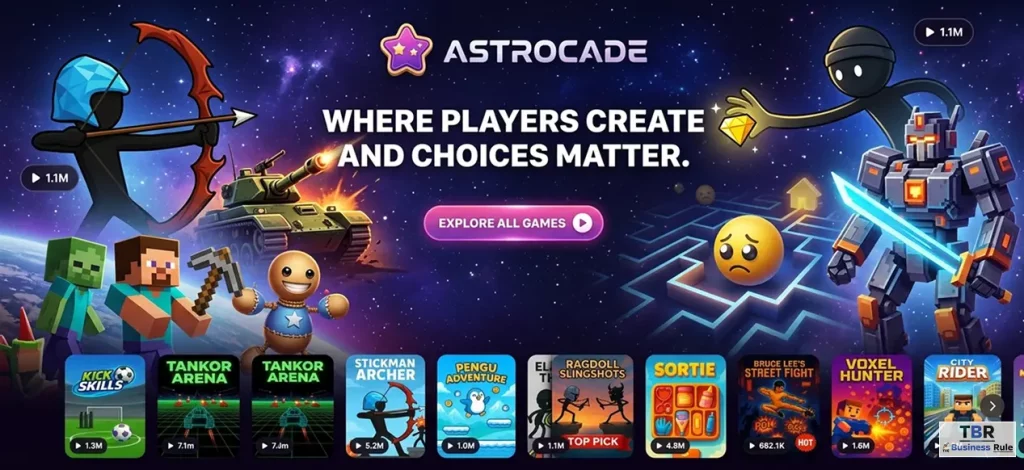
How Astrocade Fits Into the Decision
Astrocade helps creators move from an idea toward a playable experience without requiring a traditional studio workflow.
For someone who wants to build a game, reducing technical setup can create more time for experimentation, testing, and improvement.
Some beginners search for game solutions because they want to begin immediately. That motivation is useful, provided speed leads to learning rather than accepting an untested first result.
Astrocade can help creators explore ideas, generate or assemble playable experiences, and make changes based on player feedback.
This is valuable for people interested in making games who have strong creative ideas but do not want programming to become the first requirement.
Final Verdict
Choose visual no-code development when you want structured control, predictable editing, and a clearer understanding of how the project works.
Choose AI-assisted development when you want to test ideas quickly, generate starting points, and avoid beginning from an empty project.
Neither approach removes the need for creativity, testing, balance, or player feedback.
The strongest choice may be a hybrid workflow: use artificial intelligence to accelerate early experimentation and use visual systems to refine the mechanics that matter.
Do not select a tool because it promises the shortest route to a finished product. Select the one that helps you test the central idea, understand the results, and continue improving without losing control of the project.
